How to Add a Wealthsimple Referral Code After Signing Up
Forgot to enter a referral code? You have 7 days after your first deposit to add one retroactively. Step-by-step instructions for unfunded and funded accounts.
Disclosure: This article contains referral links. Compensation may be received at no cost to you — this does not influence our analysis or recommendations.
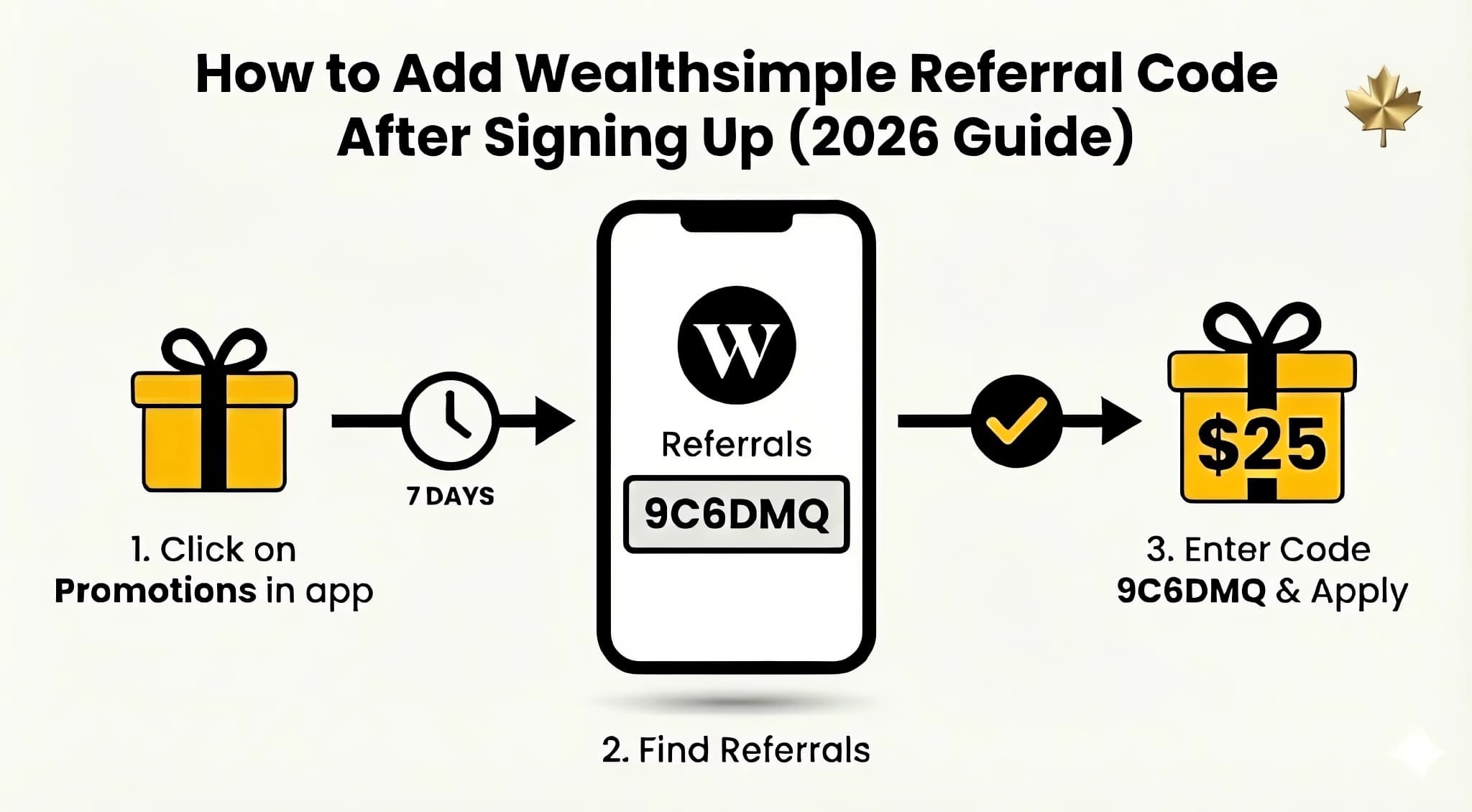
Did you sign up for Wealthsimple but forgot to use a referral code? Don’t worry. You generally have a 7-day window after your first deposit to add one retroactively. For the current code, see our Wealthsimple Referral Code guide. This article covers exactly how to add a referral code after signing up—including the critical time windows and your full bonus options.
I’ve been on both sides of this. I’ve successfully helped a friend add a code on day 6, and I’ve had to be the bearer of bad news for a cousin who realized they missed the window by just 12 hours. We’ve confirmed this is a hard limit enforced by the system automatically, which is why I always tell people to check their “Referrals” tab the second they finish their first deposit.
Can You Add a Referral Code After Signing Up?
Yes, but you usually only have a 7-day window. If you’re searching for a Wealthsimple referral code as an existing client, here’s the deal—Wealthsimple has specific referral bonus rules about when you can and cannot add a referral code retroactively:1
| Your Situation | Can You Add a Code? |
|---|---|
| Account opened, never funded | ✅ Yes, anytime |
| Funded within the last 7 days | ✅ Yes, add it now |
| Funded more than 7 days ago | ❌ No, window closed |
Scenario 1: Can I Add a Code If I Haven’t Funded Yet?
If you’ve created a Wealthsimple account but haven’t made any deposits, there is no time limit. As an existing client without funding, you can add a referral code to an unfunded account whenever you want.
Step-by-Step Instructions:
- Open the Wealthsimple app on your phone
- Tap the Gift icon (🎁) at the top of the home screen
- Go to the “Referrals” tab
- Look for “I was referred by someone” or “Add a referral code”
- Enter the code: 9C6DMQ
- Tap Submit or Apply
Once the code is applied, you have 30 days to make your first deposit of $100 or more. You’ll receive your $25 cash bonus within 24 hours of funding. Important: the 30-day window counts from when your funds settle, not when you initiate the transfer. Bank transfers typically take 2–3 business days to clear, so don’t wait until day 29.
Good to know: If you add a code but don’t fund within 30 days, the code expires—but since your account is still unfunded, you can simply reapply the same code (or a different one) and get another 30-day window. There’s no limit to how many times you can do this as long as you haven’t funded yet.
Scenario 2: How to Add a Code Within the 7-Day Window
Here’s what most people miss: Wealthsimple gives you a 7-day grace period after your first deposit to add a referral code retroactively.
This window starts from the moment your first dollar lands in your account—not when you initiated the transfer.
How to Add a Code During the 7-Day Window:
- Open the Wealthsimple app
- Go to Settings (gear icon)
- Navigate to Earn Rewards or Referrals
- Look for the button that says “Add a referral code”
- Enter: 9C6DMQ
- Confirm the submission
The “Add a referral code” button literally disappears from the app after 7 days. Many users on Reddit have reported searching for this option only to find it gone.
Personal note: I actually tested this myself. On day 8 after my first test deposit, that “Add a referral code” button simply vanished from the Rewards section. It wasn’t just hidden—it was gone. If you’re on day 6 or 7, don’t wait until the last minute!
If you can’t find the button:
- Check if exactly 7 days have passed since your first deposit settled (not when you initiated the transfer)
- Try logging out and back in to refresh the app
- Update to the latest version of the Wealthsimple app
Scenario 3: Can I Add a Code After 7 Days?
Unfortunately, if more than 7 days have passed since you funded your account, you cannot add a referral code. That’s it. This is Wealthsimple’s official policy, and even customer support typically cannot override it.
What Reddit Users Say
Community feedback confirms this is a hard rule:
“The button to add a referral code just isn’t there anymore. Wish I’d known about the 7-day thing.”
I once spent 45 minutes on chat with Wealthsimple support trying to help a colleague who missed the window. They were incredibly helpful, but they confirmed that even their senior tools couldn’t override the 7-day lockout for a new client referral. The “system says no” in this case is literal.2
Your Options If You Missed the Window
While you can’t get the signup bonus, you can still benefit from Wealthsimple in other ways:
- Start referring others – Once you’re a client, you get your own referral link and earn $25 for each friend who signs up
- Transfer bonus – If you transfer $25,000+ from another institution, Wealthsimple reimburses your transfer fees
- Tier benefits – Deposit $100,000+ to unlock Premium status with better rates and lower fees
Where Is the “Add Referral Code” Button Located?
The location varies by app version, but the button is typically found in the Referrals or Rewards tab. One important note: you cannot add a referral code on the desktop website. We’ve verified this limitation still exists in 2026—the option is exclusive to the mobile app. Here are the most common places to look:
Method 1: Gift Icon
- Tap the Gift icon (🎁) at the top of your home screen
- Go to “Referrals” tab
- Look for “I was referred by someone”
Method 2: Settings Menu
- Tap your profile icon or Settings (⚙️)
- Scroll to “Earn Rewards” or “Referrals”
- Find “Add a referral code”
Method 3: Rewards Section
- Go to “Rewards” in the bottom navigation
- Tap “Referrals”
- Select “Enter a code”
If you’ve tried all these locations and can’t find the option, either:
- Your 7-day window has expired, OR
- You need to update your app to the latest version
But Why Does Wealthsimple Have This 7-Day Rule?
The 7-day retroactive window exists primarily to prevent bonus abuse. It’s a compromise between two goals:
- Helping genuine users who forgot to enter a code during signup
- Preventing abuse where users could wait indefinitely to see if they want to stay before claiming a bonus
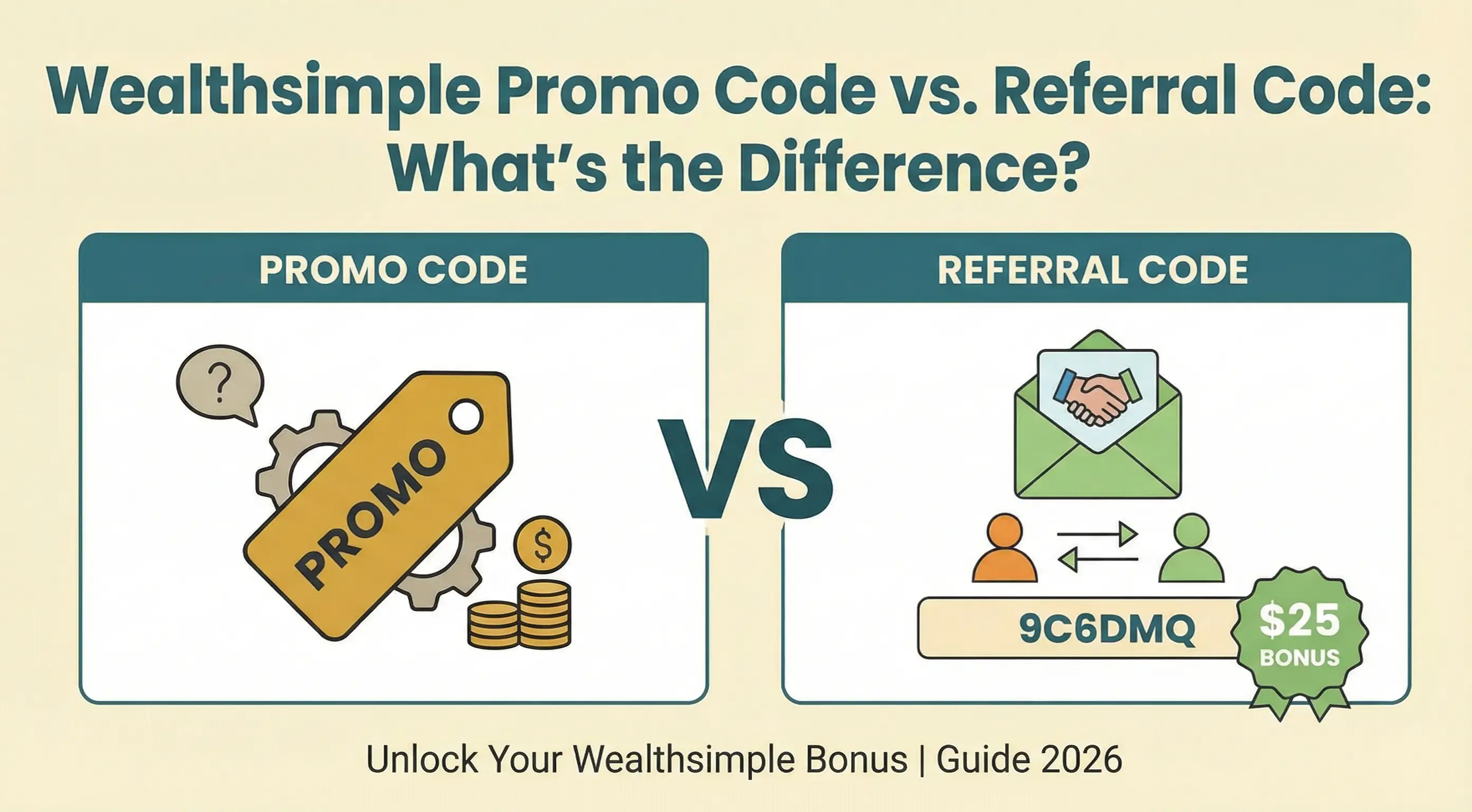
This policy is stricter than some competitors but more generous than others (some platforms offer no retroactive option at all). If you’re confused about the difference between promo codes and referral codes, see our promo code vs referral code breakdown.
How Can I Avoid Missing the Referral Bonus?
The most reliable way to avoid missing your bonus is to use a direct referral link. Here are more tips:
Use the Direct Link
Instead of manually entering a code, use a referral link like wealthsimple.com/invite/9C6DMQ. This automatically applies the code.
Verify Before Funding
Before making your first deposit, go to the Referrals section and confirm that a referral code is showing as applied.
Screenshot Everything
Take screenshots of the confirmation that a code was applied. This can help if you need to contact support.
Fund Within 30 Days
Once you apply a referral code, you have 30 days to fund your account. If you miss this window, the code expires—but don’t panic. Since your account is still unfunded, you can reapply the same code and start fresh with another 30-day window.
Ready to Claim Your Wealthsimple Sign Up Bonus?
Still within the 7-day window? Or haven’t funded yet? Good. Here’s your action plan to claim your sign up bonus:
- Open the Wealthsimple app now
- Navigate to the Referrals section
- Enter code: 9C6DMQ
- Make sure you have at least $100 deposited
- Receive your $25 cash bonus within 24 hours
Need to start fresh? Sign up here with code 9C6DMQ
Related Articles
- Wealthsimple Guide: Overview, Products & Referral Program
- Referral Bonus Terms & Conditions Explained
- Wealthsimple Referral Ladder Closed (June 2026): What Replaced It
Frequently Asked Questions
I opened my account months ago but never funded it. Can I still add a code?
Yes. Wealthsimple distinguishes between “account opening” and “activation.” If you opened an account 6 months ago but never deposited a single dollar, you are still considered a new client. You can enter a referral code at any time before you fund. Once you apply a code, you have 30 days to fund—but if that window lapses, the code simply expires and you can reapply the same (or a different) code for another 30-day window. There’s no limit while your account remains unfunded.
Can customer support add the code for me if I missed the 7-day window?
Generally, no. Wealthsimple’s system is designed to hard-lock the referral option exactly 7 days (168 hours) after your first deposit lands. Customer support agents typically do not have the ability to override this hard-coded limit, so it is critical to act immediately.
I clicked a referral link to sign up. Do I still need to enter the code manually?
Usually, no—the link should apply the code automatically. However, to be safe, you should always verify. Open the app, go to the Referrals section (gift icon), and look for a banner that says “You were referred by [Name].” If you don’t see it, enter the code 9C6DMQ manually just to be sure.
Why am I getting an “invalid code” error?
This usually happens for one of two reasons:
- You are not a new client: If you had an old Wealthsimple account (even a closed one) linked to your email or SIN, you are not eligible for a new client bonus.
- The 7-day window has passed: If you funded your account more than 7 days ago, the system will reject any new codes.
I added the code and funded $100. Why haven’t I received my bonus yet?
We’ve noticed that while the $25 usually lands within 24 hours, verification flags can push this timeline to 5-10 business days.3 Grandfathered tier bonuses from referrals made before June 8, 2026 take longer, typically landing within 14 days after the funding period ends.
What if I made a mistake entering my referral code?
If you entered an incorrect code that was accepted, you’ll need to contact Wealthsimple support to see if they can correct it. This is easier to fix than adding a new code after the window closes.
Will I lose my sign up bonus if I withdraw money?
If you withdraw funds within 180 days of receiving your Wealthsimple sign up bonus, the bonus amount may be deducted from your withdrawal.1
Sources
Footnotes

About the Author
Isabelle Reuben is a specialized finance writer focused on Canadian investment platforms and bonus optimization. With 5+ years tracking robo-advisors, she stress-tests Wealthsimple's features to transform fine print into actionable blueprints.